· By Salman Habib Chaudhry · Local SEO · 6 min read
How GTA Service Businesses Get Cited in Google AI Overviews (2026 Local Playbook)
The three levers that get a GTA service business named in Google AI Overviews — Google Business Profile completeness, review recency, and entity consistency — plus a 30-day checklist.
Want results like this for your business?
Get a free growth audit →National AI-search advice doesn’t help a Mississauga plumber, a Brampton clinic, or an Oakville contractor get named when someone asks Google for a local recommendation. Local AI Overviews are decided by a different set of signals — and they overlap heavily with the local SEO fundamentals you may already be doing. This playbook covers the three levers that get a GTA service business cited, plus a 30-day checklist. Want a baseline first? Our free Local SEO & AI Visibility Grader scores both your local SEO and AI visibility 0–100.
Key Takeaways
- Three levers decide local AI Overview citations: Google Business Profile completeness, review recency and response rate, and entity consistency (NAP + LocalBusiness schema across the web).
- There’s no separate AI Overview submission — you strengthen the same signals that win the Map Pack, and the AI layer reads from them.
- Recency beats volume on reviews: a steady flow of recent reviews with owner responses reads as more trustworthy than a large but stale pile.
- Service-area businesses qualify without a public street address — list the GTA cities you serve and keep signals consistent. This is SAB-safe by design.
How do Google AI Overviews pick local businesses?
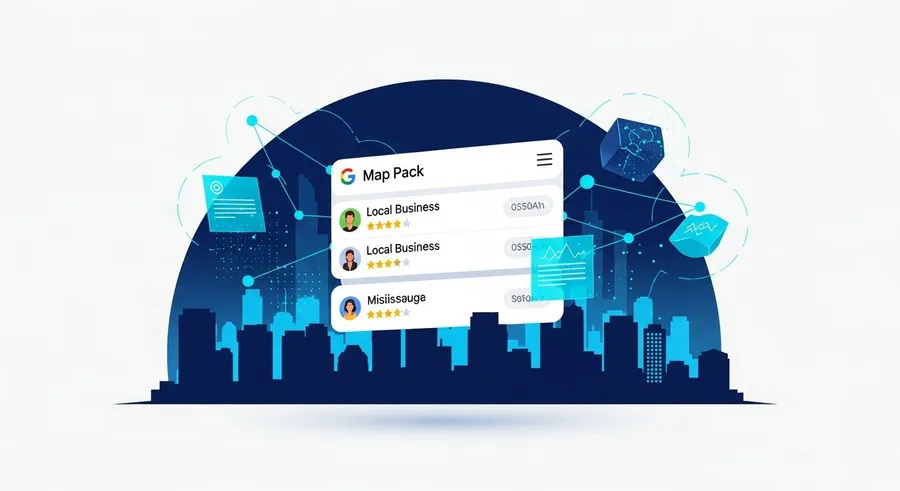
For a local-intent query — “best [service] in Mississauga,” “[trade] near me” — Google’s AI Overview pulls from three sources at once: your Google Business Profile (the structured record Google trusts most about your business), review signals (volume, recency, sentiment, and how you respond), and structured web data (a consistent name/area/phone and LocalBusiness schema on your own site). When those three agree and clearly answer the question, the AI is confident enough to name you. When they conflict or a profile is half-empty, the AI hedges toward a competitor it understands better.
Crucially, this is the same machinery behind the Map Pack — Google’s guidance on AI features and your site confirms AI features draw on the same quality and relevance signals as the rest of Search. So there’s no separate channel to optimize; you reinforce the local signals you already know, and the AI layer benefits.
Lever 1 — Google Business Profile completeness
Your Google Business Profile is the foundation. The highest-leverage fixes:
- Primary category must match your core service exactly — this is the strongest categorical signal Google uses to decide which queries you’re eligible for. Google’s help article on choosing your business category explains how to pick the most specific accurate option and add secondary categories for your other services.
- Complete every field: services with descriptions, service areas (your GTA cities), hours, attributes, and a real business description.
- Keep it fresh: recent photos, Google Posts, and Q&A answers all signal an active, maintained business — the kind AI Overviews prefer to recommend.
An incomplete profile is the most common reason a perfectly good local business gets left out of the answer. For the full sweep, work through our Mississauga local SEO checklist.
Lever 2 — Review signals: recency and response rate
Reviews aren’t just a star average. For AI Overview citation, two dimensions matter most:
- Recency. A flow of recent reviews tells the system your business is active right now. A business with reviews from this quarter generally out-signals one whose reviews stopped two years ago, even at a lower total count. Think of it as a freshness cliff — old reviews decay in signal value.
- Response rate. Owner responses to reviews — good and bad — demonstrate an engaged, legitimate business. They also add fresh, relevant text to your profile.
The underlying consumer behaviour is well established: BrightLocal’s Local Consumer Review Survey consistently finds that recency and volume of reviews shape both consumer and algorithmic trust. The practical move for a GTA business is a simple, ethical review-generation routine — ask every satisfied customer, respond to every review within a few days. (For how to do that without being pushy, see our guide on getting reviews without asking.)
Lever 3 — Entity consistency: NAP + LocalBusiness schema
Google needs to be confident you’re a single, real business — one entity — to recommend you by name. That confidence comes from consistency:
- NAP consistency: your business name, service area and phone number identical across your Google Business Profile, your website, and every directory. Inconsistency creates doubt, and doubt loses you the citation. We cover why in NAP consistency and why it still matters.
- LocalBusiness schema on your website’s contact and location pages, so machines read your details unambiguously. The canonical reference is schema.org’s LocalBusiness type. Mark up your business name, service area (city/region/country — no street address required for a service-area business), phone, hours and services.
SAB-safe note: a service-area business can do all of this without publishing a street address anywhere. List the GTA cities you serve, configure GBP as service-area, and keep the omission consistent across your site and listings.
Content moves: city + service pages that answer local questions
The web-data leg of the tripod is your own content. Build city + service pages that answer the practical local questions directly — pricing ranges, what’s included, neighbourhoods and cities served, response times — in clear, citable language with FAQ blocks. A page like our Mississauga location page that plainly answers “what does this cost in Mississauga” and “do you serve my area” gives the AI Overview something concrete to lift. Lead with the answer, then explain; that inverted-pyramid structure is what both the Map Pack and AI Overviews reward.
A 30-day GTA local-AI checklist
- Week 1: Audit and complete your Google Business Profile — correct primary category, full services, service-area cities, hours, fresh photos.
- Week 2: Run a NAP consistency sweep across your top 20 directories; fix every mismatch. Add or correct LocalBusiness schema on your site.
- Week 3: Launch a review routine — ask recent customers, respond to all existing reviews. Aim for a steady weekly trickle, not a one-time burst.
- Week 4: Publish or upgrade one city + service page with a direct-answer intro and an FAQ block; submit it for indexing.
Run this once and you’ll out-signal most local competitors, who set up a profile once and forgot it. For the strategy that ties local and AI search together, see our local SEO service and our AI SEO service, and the cluster overview in our AEO and GEO guide.
FAQ
How do local businesses show up in Google AI Overviews? Through three aligned signals: a complete Google Business Profile, recent reviews with owner responses, and consistent NAP plus LocalBusiness schema across the web.
Does Google Business Profile affect AI Overviews? Yes — it’s the primary structured record Google trusts for local queries, so an accurate category and complete profile are the biggest levers.
Can a service-area business without a storefront appear in AI Overviews? Yes — configure GBP as a service-area business, list your GTA cities, and keep signals consistent. No public street address is required.
Sources
- Google Business Profile Help — Choosing your business category — Accessed 2026-05-29
- Google Search Central — AI features and your site — Accessed 2026-05-29
- Schema.org — LocalBusiness — Accessed 2026-05-29
- BrightLocal — Local Consumer Review Survey — Accessed 2026-05-29
- Semrush — Generative Engine Optimization primer — Accessed 2026-05-29
Want this done for you?
Tell us what you're trying to grow and we'll send back a concrete plan — no commitment.
Your free audit is on the way.
We'll reply within 24 business hours with your 3 quick wins, your top competitor gap, and a 90-day growth plan. Keep an eye on your inbox.